Contents
Overview
The IPI QBZ65 is a 65% Hall Effect keyboard that offers a surprisingly premium experience at a relatively affordable price. Coming from the AULA Hero 68HE, I was looking for something that felt more consistent in-game while also being enjoyable to use for work.
After spending some time with the QBZ65, I’ve been genuinely impressed with what IPI managed to deliver for $90. Between the aluminum case, responsive performance, and well-designed web driver, there’s really not much to complain about.
Design & Build Quality
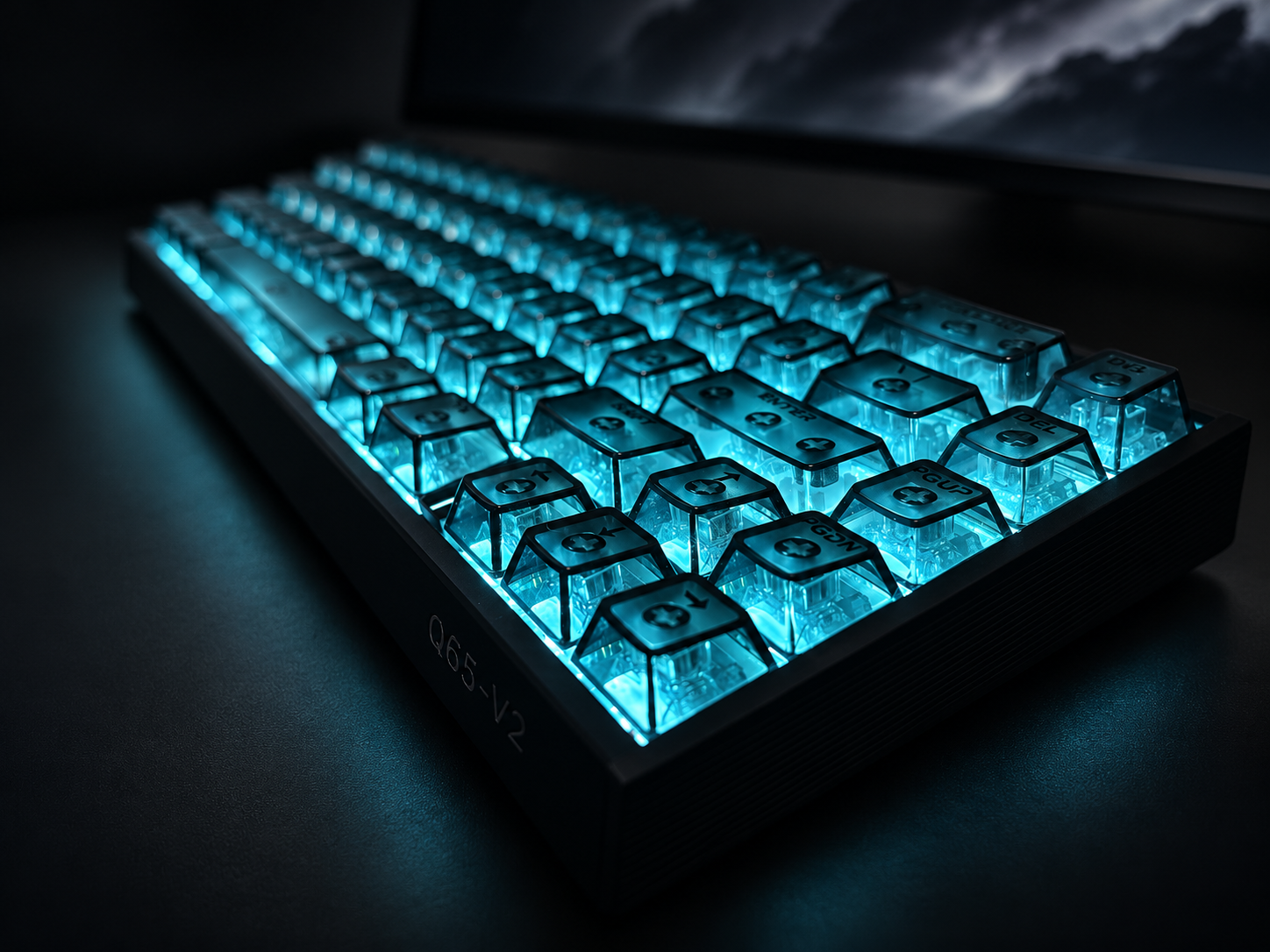
I think the QBZ65 is a really good-looking keyboard. The aluminum case gives it a premium feel, and there’s absolutely no flex, rattling, or stabilizer noise. The keycaps do feel a little cheap compared to the rest of the keyboard, but they’re still really nice to use. The switches feel and sound great, and I haven’t noticed any quality control issues.
After working in web development for a while, having a number pad has become somewhat of a necessity for me. I ended up purchasing a separate number pad, and I would actually recommend doing this over purchasing a full-sized keyboard. It gives you the functionality without permanently sacrificing desk space.
One thing I wish IPI had done differently is use north-facing RGB. Since the numbers are located towards the top of the keycaps, the lighting doesn’t illuminate them very well. If you’re someone who needs to look at your keyboard while typing, this can make the numbers a little difficult to see.
Aside from those minor complaints, I’m really happy with the overall design and build quality of the QBZ65.
Performance
The QBZ65 feels extremely responsive, and I personally find it more consistent than my previous AULA Hero 68HE. I use the lowest available actuation point on WASD, CTRL, and Shift, with rapid trigger enabled on A, D, and CTRL. Throughout my time using it, the inputs have been accurate and consistent, and I haven’t experienced any ghost inputs.
I wouldn’t necessarily say the keyboard has directly improved my movement in Valorant, but I’ve also improved as a player in general since switching to it, so it’s difficult to make that comparison.
My only minor complaint is that the switches feel slightly heavy. Even with an actuation point of 0.01mm, the resistance almost makes it feel closer to 0.5mm. It’s a very subtle difference, but it’s something I’ve personally noticed.
Overall, I’m really happy with the performance of the QBZ65, especially its responsiveness and consistency.
Experience
My overall experience with the QBZ65 has been really good. It’s comfortable during both longer gaming sessions and work, and I personally enjoy typing on it a lot more than my previous AULA Hero 68HE.
Something I really appreciate is the web driver. It looks great, is really straightforward, and makes adjusting things like actuation points and rapid trigger extremely easy. I also haven’t noticed any accidental inputs despite using very sensitive actuation settings.
I’m at a point where I don’t really feel the need to upgrade my keyboard. The only two keyboards I could potentially see myself switching to are the Tekkusai Titan or the Lofree Hyzen. Other than those, I’m really satisfied with the QBZ65 as my daily driver.
Value
I paid $90 for the QBZ65, which I think is honestly insane for what you’re getting. Between the aluminum case, great performance, and really well-designed web driver, I think IPI went above and beyond what I’d expect from a keyboard at this price.
I would easily recommend it over the AULA Hero 68HE, and I wouldn’t hesitate to purchase it again. There really isn’t much about this keyboard that makes me feel like I’m using a $90 board.
If you’re looking for a genuinely good HE keyboard but don’t want to spend anywhere from $150 to $300, the QBZ65 is something I would highly recommend. It’s one of those products where I actually feel like I’m getting more than what I paid for.
Final Verdict
The QBZ65 is probably one of the best value peripherals I’ve purchased. It’s comfortable to use, performs extremely well, and feels a lot more premium than its price would suggest.
There are a few things I would change, mainly the keycaps, RGB orientation, and slightly heavier switches. However, none of these are significant enough to negatively impact my overall experience.
I don’t really see myself upgrading anytime soon, and I would easily purchase it again. If you’re looking for a genuinely good Hall Effect keyboard without spending $150–$300, I would highly recommend the QBZ65. I think IPI went above and beyond with this board.